
This chatgpt beginner guide 2026 is for people who want a simple, current way to start using ChatGPT without confusion. ChatGPT is available on the web and on mobile, and OpenAI says beginners can use the free version while paid plans add more powerful access and features.
ChatGPT is best thought of as a conversation tool. You type a request, it responds, and you keep refining the answer through follow-up messages. In 2026, beginner-friendly features like Voice Mode, Canvas, and Projects make it easier to talk, edit, and organize work in one place.
How to Create a ChatGPT Account in 2026
- Go to the official ChatGPT website or the official app listing. OpenAI provides the mobile download page and warns users to use the official app published by OpenAI.
- Choose sign up with email, Google, or Apple when prompted.
- Verify your account if ChatGPT asks for it. OpenAI’s help center includes login and verification troubleshooting for ChatGPT.
- Open a new chat and type your first message.
- Keep your first prompt short and clear, then improve it with follow-up messages.
Understanding the ChatGPT Interface in 2026
The current ChatGPT experience includes a normal chat area, voice features, Canvas for editing-style work, and Projects for keeping related chats and files together. OpenAI describes Canvas as an interface for writing and coding projects that need editing and revisions, and Projects as smart workspaces for long-running work.
For beginners, the easiest way to think about the interface is this: chat for quick questions, voice for speaking naturally, Canvas for drafting and revising, and Projects for anything you want to keep organized over time. OpenAI also says the mobile app supports chat on the go, voice conversations, and photo-based questions.
How to Write Your First ChatGPT Prompt
Use this simple formula:
Goal + Context + Constraints + Format.
That means tell ChatGPT what you want, who it is for, any useful background, and how you want the answer delivered.
Good first prompt:
“Write a friendly 120-word email to my teacher asking for one extra day to submit my assignment.”
Better prompt:
“Write a friendly 120-word email to my teacher asking for one extra day to submit my assignment. Keep it polite, clear, and student-like.”
The more specific your prompt, the more useful the reply usually becomes. This is the core skill in a chatgpt beginner guide 2026 because it helps beginners get better results immediately.
What Can Beginners Use ChatGPT For?
Beginners usually get the fastest value from everyday tasks like these:
- writing emails and messages
- summarizing long text
- brainstorming ideas
- explaining difficult topics in simple language
- organizing plans and checklists
- rewriting text in a better tone
- asking follow-up questions for clearer answers
A practical rule is simple: start with small tasks, then move to longer or more important work once you understand how ChatGPT responds.
ChatGPT Free vs. Paid Plans: What Beginners Need
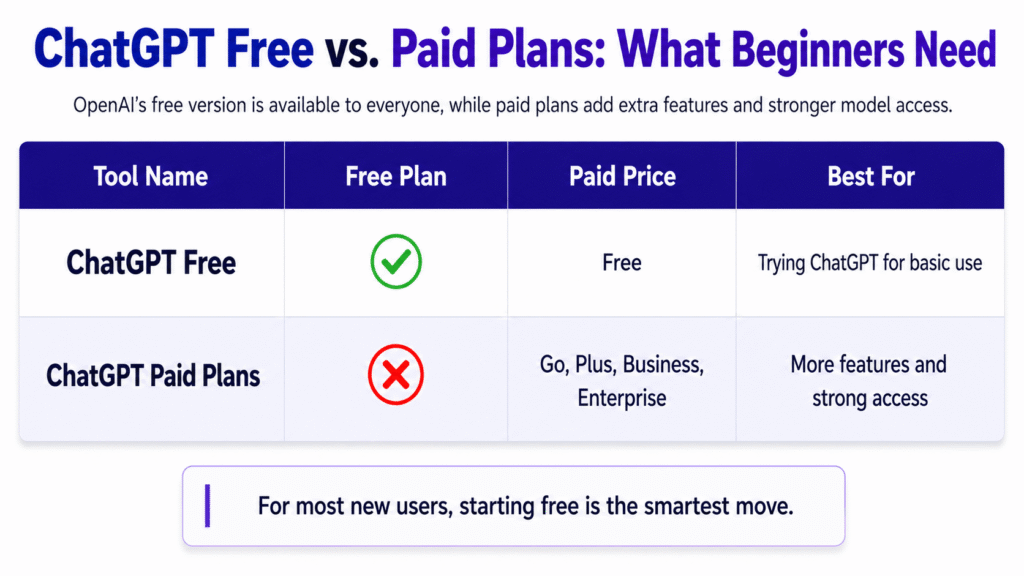
OpenAI says the free version is available to everyone, and paid plans add a more powerful experience with extra features and access to stronger models. OpenAI’s pricing page currently lists Free and paid plans such as Go, Plus, Business, and Enterprise.
| Plan Type | Best For | Beginner Takeaway |
|---|---|---|
| Free | Trying ChatGPT for basic use | Good enough to learn the interface and basics. |
| Paid Plans | More features and stronger access | Worth considering later if you need more capability. |
For most new users, starting free is the smartest move.
How to Get Better Answers from ChatGPT
The biggest beginner mistake is treating the first response as the final response. ChatGPT works better when you refine it.
Try follow-up prompts like these:
- “Make it shorter.”
- “Explain it in simpler words.”
- “Give me three options.”
- “Rewrite it in a professional tone.”
- “Add an example.”
OpenAI’s current features support this conversation style well, and Projects can help keep related work organized while you refine ideas over time.
Common Beginner Mistakes to Avoid
- Asking vague prompts with too little detail.
- Expecting one answer to be perfect.
- Using ChatGPT without checking the output.
- Mixing too many requests into one prompt.
- Sharing sensitive information too freely.
A simple fix is to ask one clear question at a time, then improve the answer step by step.
Is ChatGPT Safe to Use? Privacy Tips for New Users
OpenAI’s privacy pages say users can control whether content is used to improve models, choose memory settings, export history and data, and delete or archive chats. For beginners, the safest habit is to avoid sharing passwords, financial details, private client data, or other sensitive information.
Use the official app or website only, keep privacy settings checked, and treat ChatGPT like a helpful assistant rather than a place to store secrets. That is the safest way to follow a chatgpt beginner guide 2026.
Frequently Asked Questions About ChatGPT for Beginners
No. ChatGPT is built for everyday conversation, and OpenAI’s help pages frame it as a general user product with web, mobile, voice, Canvas, and Projects features.
Yes. OpenAI offers mobile access and official download pages for the app, and the app supports chat, voice conversations, and photo-based questions.
For most beginners, yes. OpenAI says the free version is available to everyone, and paid plans are there for users who need more power or extra features.
Do not share passwords, payment details, private documents, or other sensitive personal data. OpenAI’s privacy controls exist to help users manage data use and memory preferences.